




Jump to content
View in the app

A better way to browse. Learn more.

Ayuda Excel

A full-screen app on your home screen with push notifications, badges and more.

To install this app on iOS and iPadOS
  1. Tap the Share icon in Safari
  2. Scroll the menu and tap Add to Home Screen.
  3. Tap Add in the top-right corner.
To install this app on Android
  1. Tap the 3-dot menu (⋮) in the top-right corner of the browser.
  2. Tap Add to Home screen or Install app.
  3. Confirm by tapping Install.

Visor, Abrir e Imprimir ficheros PDF 1.0.0

(0 reviews)

1 Screenshot

Qué tal,

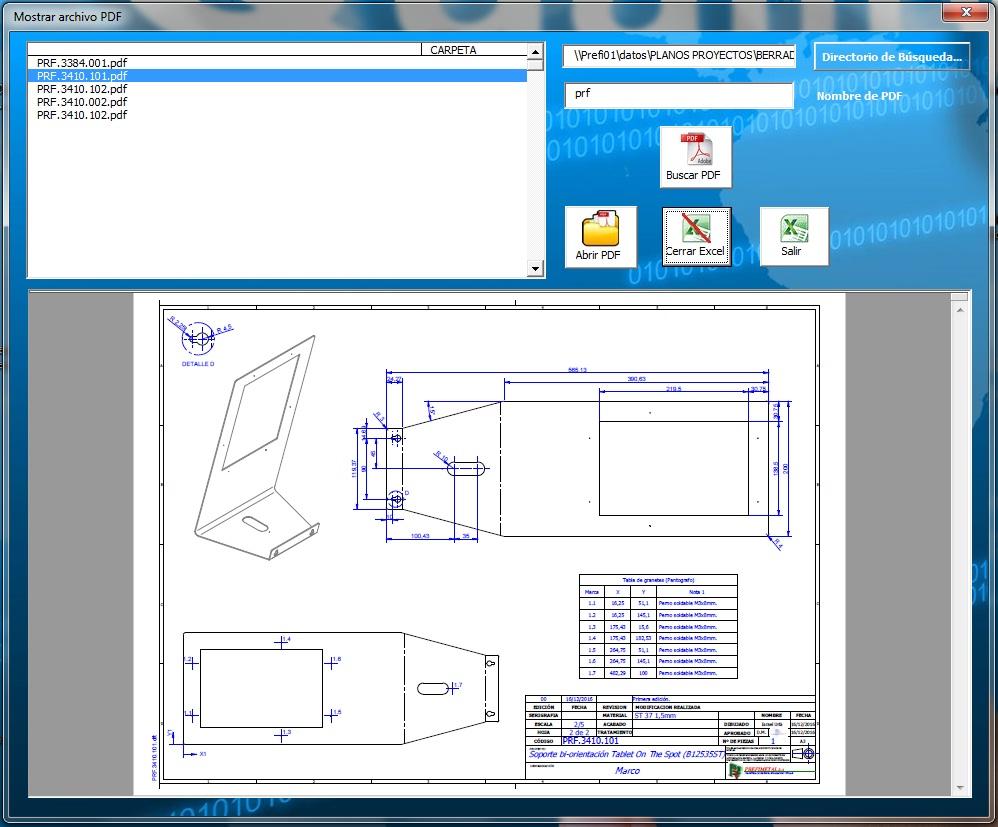
Dejo este aporte que permite Visualizar, Abrir e Imprimir ficheros PDF. Tiene las siguientes características:

  • Permite buscar en directorios y subdirectorios
  • Permite la búsqueda mediante comodines. Solo hay que introducir parte del nombre de los ficheros buscado para búsquedas masivas
  • Visualiza el fichero seleccionado
  • Podemos cerrar Excel o volver a él desde el formulario

- Agradecimientos y Reconocimientos

A la página EXCELeINFO por la idea del web browser control

A la página ExcelFORO por la idea de cómo abrir ficheros de cualquier tipo en excel

Espero que os sirva y  os guste :)

User Feedback

Create an account or sign in to leave a review

There are no reviews to display.

Configure browser push notifications

Chrome (Android)
  1. Tap the lock icon next to the address bar.
  2. Tap Permissions → Notifications.
  3. Adjust your preference.
Chrome (Desktop)
  1. Click the padlock icon in the address bar.
  2. Select Site settings.
  3. Find Notifications and adjust your preference.