

Saltar al contenido
View in the app

A better way to browse. Learn more.

Ayuda Excel

A full-screen app on your home screen with push notifications, badges and more.

To install this app on iOS and iPadOS
  1. Tap the Share icon in Safari
  2. Scroll the menu and tap Add to Home Screen.
  3. Tap Add in the top-right corner.
To install this app on Android
  1. Tap the 3-dot menu (⋮) in the top-right corner of the browser.
  2. Tap Add to Home screen or Install app.
  3. Confirm by tapping Install.

HectorO

Exceler E
  • Unido

  • Última visita

Todo se publica por HectorO

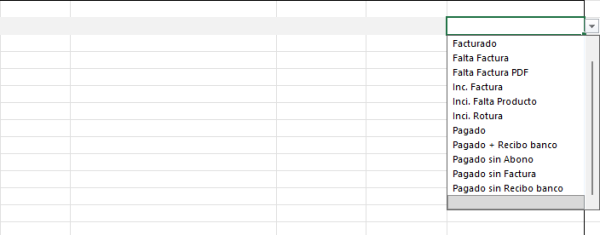
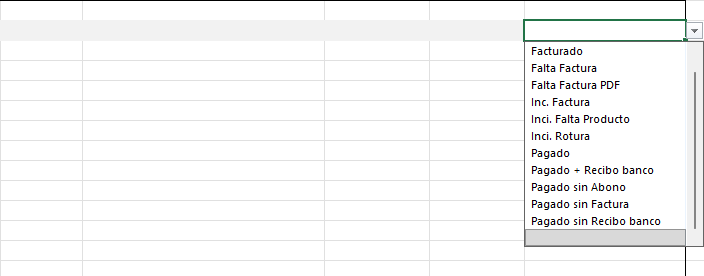
  1. Hola, Tengo este libro donde voy poniendo facturas de compra. Me gustaría que dependiendo del valor que elija del combo de la izquierda se aplicara un formato (color de celda) al grupo de celdas que he marcado en gris. Por ejemplo: Si he marcado Facturado que el grupo de celdas de la izquierda (las coloreadas en gris) tengan fondo amarillo, si elijo Pagado en verde, si elijo inci. (incidencia) en rojo... ¿Se podría hacer? Muchas gracias por adelantado.
  2. un tema añadido HectorO en Presentaciones
    Hola, Soy Héctor, tengo un negocio físico. Uso Excel desde tiempos pretéritos pero sin conocimiento alguno... lo típico de ir aprendiendo según se va necesitando. Gracias por crear este foro de ayuda... Espero ir aprendiendo e ir aportando. Un saludo
Configure browser push notifications

Chrome (Android)
  1. Tap the lock icon next to the address bar.
  2. Tap Permissions → Notifications.
  3. Adjust your preference.
Chrome (Desktop)
  1. Click the padlock icon in the address bar.
  2. Select Site settings.
  3. Find Notifications and adjust your preference.